
Google AI glass use Gemini AI to deliver visual translation, real-time information and hands-free aid with optional in-lens display. The glasses are able to view and hear what is happening around the user through cameras and microphones.
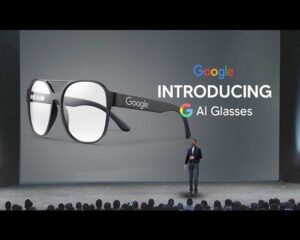
Google AI Smart Glasses: In-Depth.
-
What’s New: Android XR + Gemini AI Revival.
- Platform & Partners
Google is returning to smart glasses with Android XR, a single operating system of augmented, virtual, and mixed reality devices, which are driven by Gemini AI to facilitate effortless and contextual interactions.
Importantly, Google already has its first glasses-like product on Android XR being co-created with Xreal and uses Qualcomm Snapdragon XR chipset.
- Design & Collaborations
As a way of integrating fashion and functionality, Google is collaborating with Warby Parker and Gentle Monster in good design, and Samsung in hardware referential.
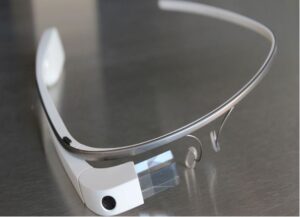
Sergey Brin insisted on the lesson of the first failed Google Glass, particularly on the aesthetics and privacy, and advocated this look of a normal pair of glasses as a big change.
-
Hardware & Capabilities
- Core Components
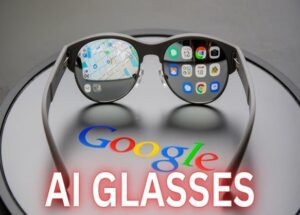
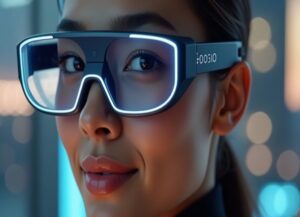
Project Aura has a transparent (optical see-through) display, built in camera, microphones, speakers, and optional in-lens display to provide discrete views.
- Gemini AI Integration
Gemini allows the glasses to perceive and comprehend your surrounding – what you can see and what you can hear – to provide personalized contextual help on the fly.
-
Highlighted Features
- Live Language Translation
Live translation with subtitles displayed on the lens- the translation between languages such as English, Farsi and Hindi can be shown in a fluent manner.
- Context Awareness & Memory Recall
Need to remember something you have already seen or have something lost? The glasses are able to memorise and recount information (e.g. coffee cup logos, key card locations) when the object is no longer in sight.
- Navigation & Object Recognition
The turn-by-turn directions are superimposed either through 2D cues or mini 3D maps displayed on the lens. Users can go round physical objects in the real world to search or get immediate information- think instant recall of reviews or opening hours.
- Everyday Tasks — Hands-Free
Messaging and scheduling, photo capture and reminders are among the functions that can be performed by hands-free voice and vision.
- Augmented Experience Inside Android XR
Users can experience immersive features such as floating YouTube screens, 3D photos, and lightweight interaction with apps through already known Google services through gestures or voice.
-
Vision & Strategy
- Ecosystem Over Device
According to the strategy devised by Google, glasses may belong to a larger ecosystem of ambient computing, where they form an alliance with wearables, phones, and other devices through AI to provide omnipresent, contextual help.
- Investment Commitment
The Google corporation is investing as much as 150 million in the development of AI glasses through its Warby Parker collaboration including the financing of products and equity capital.
- Market Positioning
This release pits Google squarely against Google rivals such as Meta (Ray-Ban), as well as Apple, marking a new wave of seriousness to wearable technology following the checkered history of the first Google Glass.
Navigation (Commuting & Travel)
- Strolling through a new city: The glasses superimpose the arrows onto the street view (you are not looking into the phone). It may make landmarks or bus stops visible in your horizon.
Driving or biking: Turn-by-turn directions on the lens have your eyes on the road. You do not look at a GPS, but at floating icons in the shape of exits, speed limit or warning signs.
- Public transport: 3-minute-late arrival messages such as “Next metro in 3 min” or 4B platform change are displayed immediately, and activated by your surroundings.
This allows navigation to be hands-free and safer and context-aware.
Education (Learning & Skill-Building)
- Language learning: Visualize you are talking to a native speaker and the glasses display live subtitles in your language (or the opposite). You can also indicate things surrounding you, and it names in your target language.
- Classroom and self-study: You would remember any visuals that you have stored, rather than having to flip through pages: What was the diagram we looked at in the lecture yesterday? → The glasses bring it up.
- Skill training: In case of practical learning (such as cooking, engineering or surgery practice) the glasses superimpose step-by-step instructions or safety messages directly in your sight.
Education is interactive, immersive and personalized.
Multitasking (Everyday Productivity)
- Work activities: When typing in your lap top, you can subtly watch notifications, reminders or meeting timings in one corner of your eye.
- Shopping and errands: When you look at a product in a store, the glasses will be able to show the price comparisons and reviews or whether you have bought it ever before.
- At home: Cooking? The recipe may be floating right in front of you and Gemini AI listens and provides answers to your questions without involving his hands.
- Memory aid: Misplaced keys? The glasses can remember the last time and location they saw them.
Final Take
Google’s next-gen AI glasses—Project Aura—represent a major evolution from the first-generation Glass. Supported by AI intelligence, rational design, and a smart-device ecosystem, they will seek to provide real-world utility translation, memory, navigation without appearing obtrusive or gimmicky.
Also visit-https://iggram.com/


1 thought on “Google AI glass”